
en:c1.fi:webmail:basic_settings:global_preferences:activesync
ActiveSync
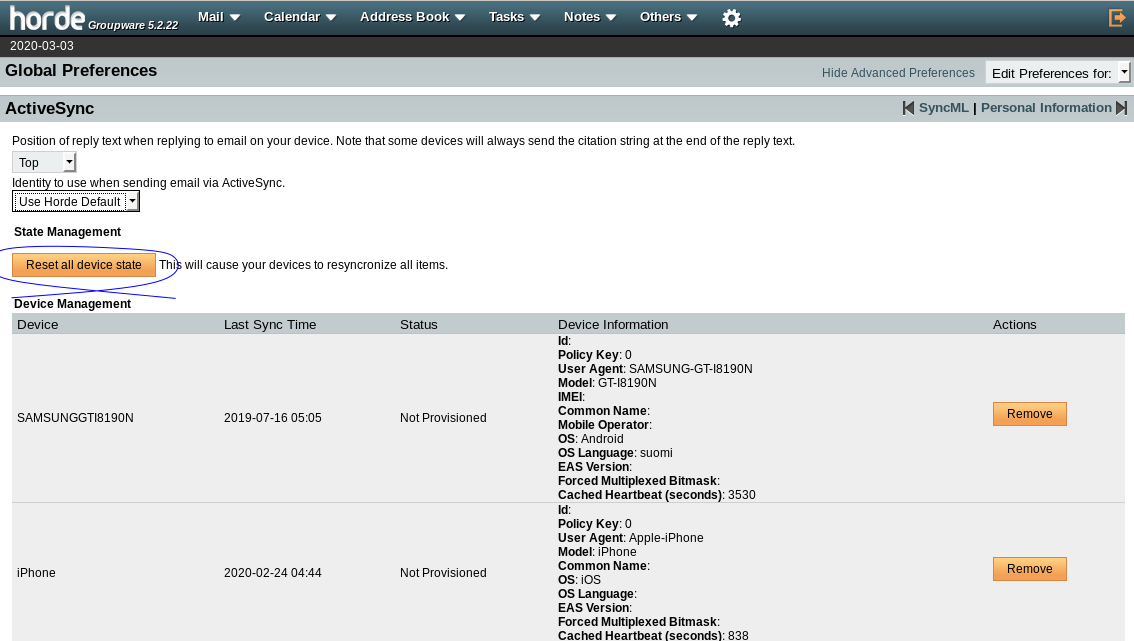
Steps for resetting ActiveSync state (Forces all devices to resynchronize).
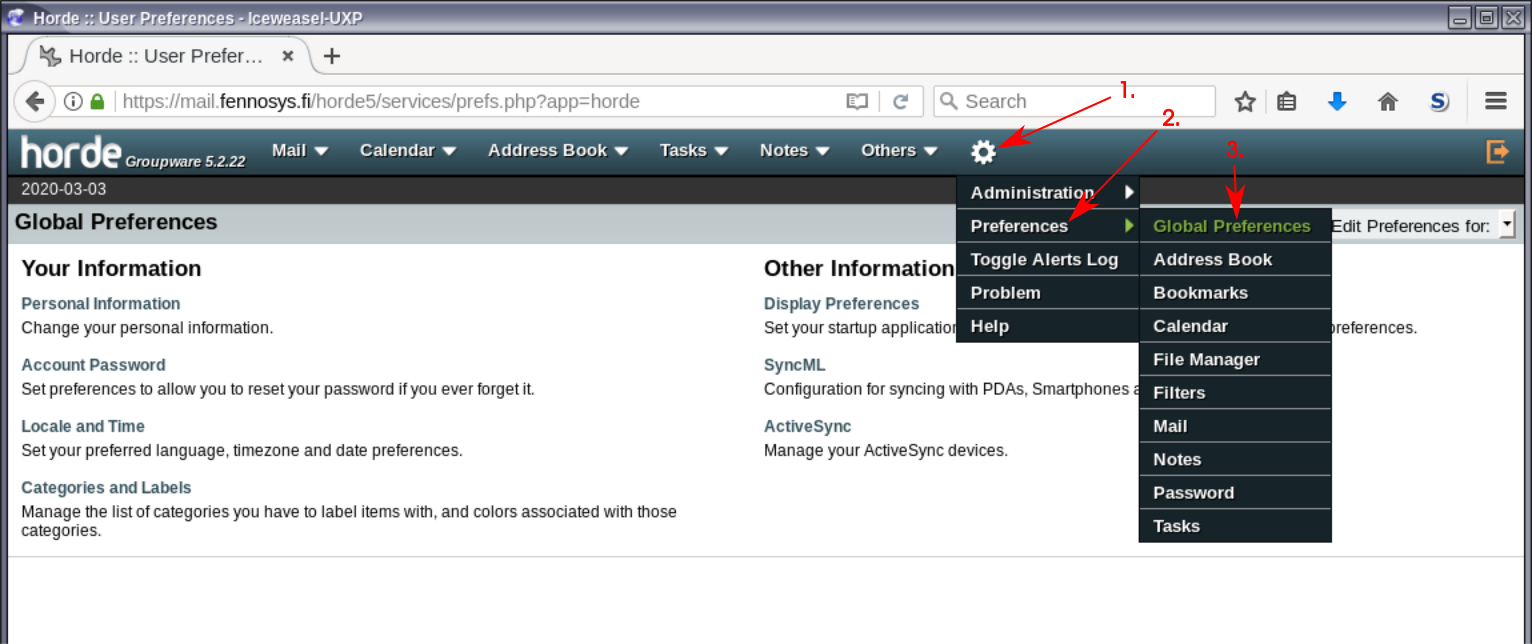
Open 1. Settings → 2. Preferences → 3. Global Preferences
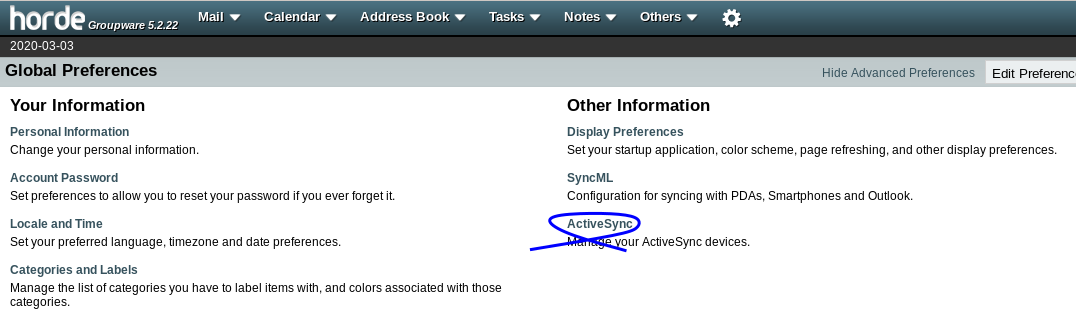
Click “ActiveSync”
Click “Reset all device state button”
That's it. This hopefully straightened any synchronization issues with your device.
en/c1.fi/webmail/basic_settings/global_preferences/activesync.txt · Last modified: by superadmin